
Many people mix up IPTV and Apple TV. They want more channels, better picture quality, or an easier setup. This guide explains on the difference between IPTV and Apple TV clearly. You will learn the key differences, pros and cons, and answers to common questions.
This guide covers overviews of both, direct comparisons, pros and cons, and answers to common questions such as which is better, the best IPTV provider for Apple TV, free apps, IPTV Smarters Pro compatibility, and whether you need to pay for IPTV.
Overviews of IPTV and Apple TV
What is IPTV?
IPTV means Internet Protocol Television. It sends live TV, movies, and shows over the internet. You do not need a cable or satellite dish.
You get content through special apps. These apps use playlist links or login details from a service. Some IPTV services are fully legal, like YouTube TV or Sling. Others offer cheap packages with thousands of channels. Those often lack proper licenses and can be risky.
Quality depends on your internet speed and the service you choose.
What is Apple TV?
Apple TV is a small streaming box made by Apple. It connects to your TV and runs on tvOS. Popular models include Apple TV 4K and Apple TV HD.
The box lets you watch Netflix, Disney+, YouTube, Apple TV+, and many other apps. It also works with IPTV if you install the right player app. Apple TV works best with iPhone, iPad, and other Apple devices.
In short: IPTV is a way to get TV channels online. Apple TV is a device that plays those channels and more.
What Is the Difference Between IPTV and Apple TV?
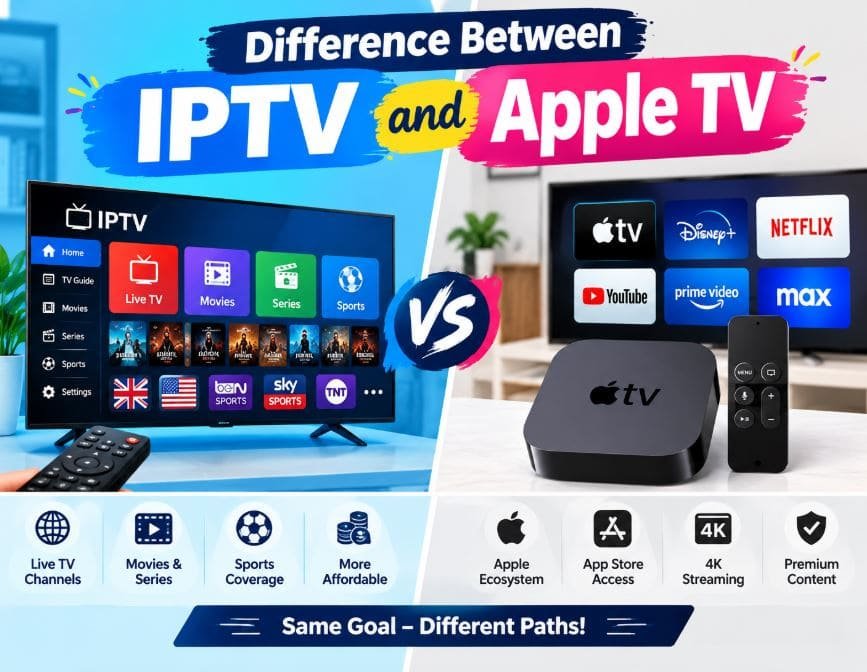
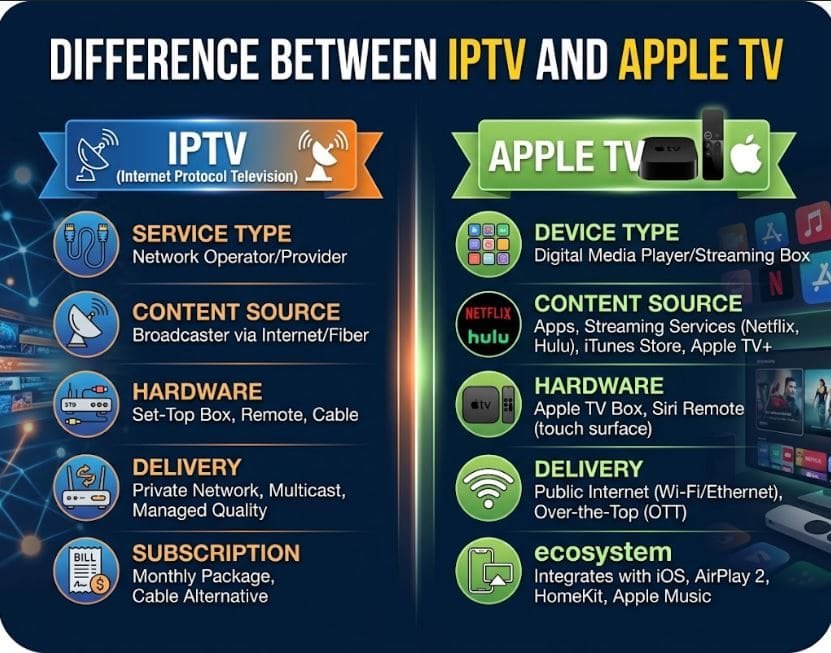
IPTV is a service or technology. Apple TV is hardware.
You can run IPTV on an Apple TV, but they are not the same thing.
Here are the main differences:
- Type — IPTV delivers content. Apple TV is the player.
- Content — IPTV focuses on live channels and large libraries. Apple TV focuses on smooth apps and high-quality video.
- Setup — IPTV needs a subscription and an app. Apple TV works right away with most mainstream apps.
- Devices — IPTV works on phones, smart TVs, Fire Sticks, and computers. Apple TV works best in the Apple world.
- Cost — IPTV usually costs a monthly fee. Apple TV costs more upfront for the box.
IPTV vs Apple TV Comparison
| Feature | IPTV | Apple TV |
|---|---|---|
| What it is | Online TV service | Streaming device |
| Main strength | Many live channels | Picture quality and ease of use |
| Setup difficulty | Medium | Easy |
| Best for | Channel variety | Smooth everyday streaming |
| Price style | Monthly fee | One-time box cost + apps |
Many people use both. They buy an Apple TV for its quality and add an IPTV app for extra channels.
Pros and Cons of IPTV and Apple TV
IPTV Advantages
- Lower monthly cost for lots of channels
- Works on almost any device
- Good for international sports and niche content
- Flexible viewing options
IPTV Disadvantages
- Quality can change from day to day
- Some cheap services are not legal
- Needs fast, stable internet
- Setup can feel technical at first
Apple TV Advantages
- Excellent 4K picture and sound
- Fast and reliable performance
- Clean interface and simple remote
- Strong connection with other Apple devices
Apple TV Disadvantages
- Higher price for the hardware
- Fewer IPTV apps than Android devices
- You still pay for most content separately
Which Is Better: IPTV or Apple TV?
The better choice depends on what you need. Pick IPTV if you want many live channels and lower monthly costs. You should research reliable services and accept some variation in quality.
Pick Apple TV if you want smooth performance, great picture quality, and easy daily use. It fits well if you already own iPhones or iPads.
Many households get the best results by combining them. Use Apple TV as the main device and load a trusted IPTV service into a player app.
Which IPTV Provider Is Best for Apple TV?
No single provider works best for everyone. Results depend on your location, internet speed, and favorite channels.
Look for services that support standard playlist formats (M3U or Xtream Codes). These formats work with most Apple TV apps. Choose providers with good uptime and clear support.
Legal services such as YouTube TV, Hulu + Live TV, or Sling work well through their official apps. For wider channel packages, read recent user reviews and start with a short trial when possible. Avoid deals that promise thousands of premium channels at very low prices. Those often have problems with reliability and legality.
What Is the Best Free IPTV App for Apple TV?
Several free apps work well on Apple TV. You can download them from the official App Store.
Popular choices include:
- IPTV Smarters Pro – solid all-around player
- GSE Smart IPTV – good channel switching and guide
- iPlayTV and similar native apps – clean design for the Siri Remote
Start with one free option. Add your playlist or login details and test it. Some apps offer paid upgrades for extra features, but free versions cover basic needs for many people.
Read also more related topics: Difference Between OTT and VOD
Difference Between Internet TV and IPTV
What is the Difference Between IPTV and Sling TV
Difference Between IPTV and Cable TV
Can I Use IPTV Smarters Pro on My Apple TV?
Yes. IPTV Smarters Pro is available in the Apple TV App Store. It works on Apple TV 4K and Apple TV HD models with supported software.
Download the app, open it, and enter your service details. You can watch live TV, movies, and series. The electronic program guide works when your provider supplies the data. The Siri Remote controls the app smoothly.
Do I Pay for IPTV?
Yes. Quality IPTV almost always costs money.
Free public playlists exist, but they are often unstable or incomplete. Legitimate services charge a monthly or yearly fee because they pay for content rights and servers. Extremely cheap offers with huge channel lists are usually unlicensed. They bring higher risks of poor quality and legal issues.
Treat a good IPTV service like any other streaming subscription. Budget for it the same way you budget for Netflix or Disney+.
Final Thoughts
IPTV and Apple TV serve different roles. IPTV brings live channels over the internet. Apple TV is a high-quality device that can play those channels and much more.
Choose based on your viewing habits and budget. Many people enjoy the best of both worlds by using an Apple TV with a reliable IPTV player and service. Focus on stable internet, legal sources, and apps that feel easy to use. Then sit back and enjoy your content.